Skip to content

Free Chrome extension

CSV to QBO Converter for Chrome

Turn bank and credit card exports into QuickBooks QBO files from your toolbar. Works offline, requests no permissions, and your files never leave your computer.

Add to Chrome — it's free

Version 1.1.0 · What's new

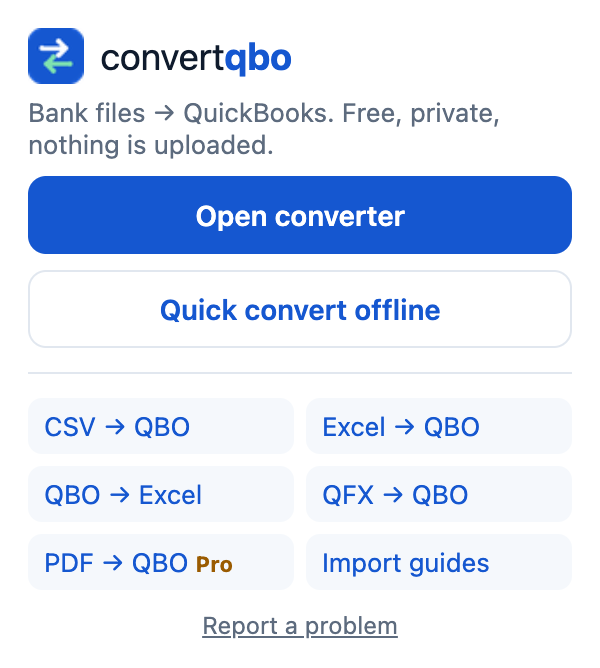
The ConvertQBO popup with Open converter and Quick convert offline buttons
One click from the toolbar. Open the full converter or convert a file offline right in the extension.
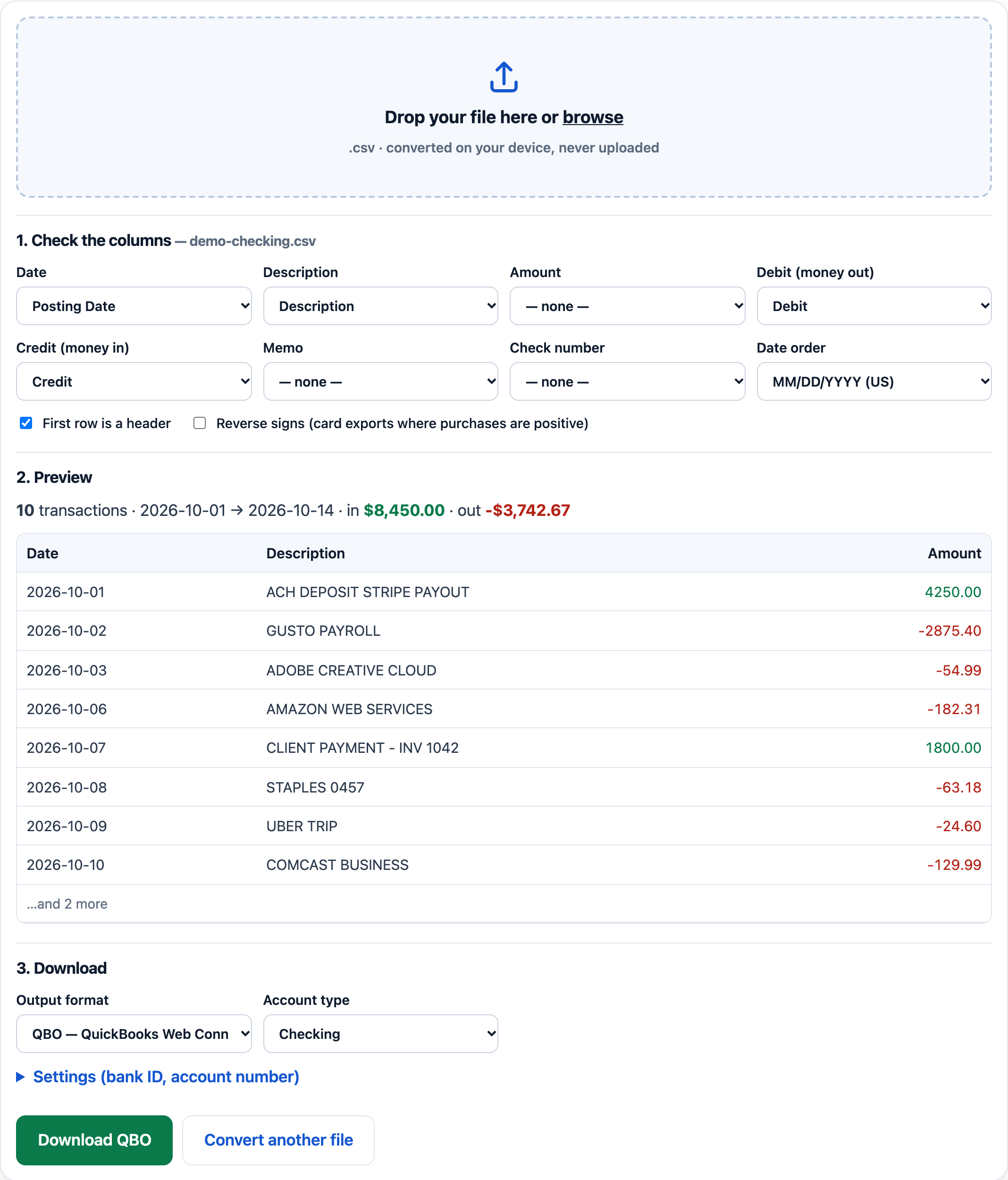
Converter preview with detected columns and the Download QBO button
Columns detected for you. Date, description, amount and debit/credit columns, US and European dates.

What it does

Converts offline

CSV, QFX, OFX and QIF to QBO, QBO to CSV, and CSV to QFX or OFX. The file is read on your computer, so it works without internet.

No permissions

The extension cannot see the sites you visit or your tabs. It runs only when you click it and collects no data.

Full converter in one click

Need Excel files, column mapping or settings saved per bank? The popup opens the full converter on convertqbo.com.

Then import the .qbo file: QuickBooks Desktop: File → Utilities → Import → Web Connect Files; QuickBooks Online: Banking → Link account ▾ → Upload from file. See how to import bank transactions into QuickBooks.

Changelog

Version 1.1.1 In Chrome Web Store review

  • New name in the Chrome Web Store: CSV to QBO Converter: ConvertQBO.
  • PayPal, Stripe, Square and Shopify CSV exports: the converter now picks the Net, Net Total or Gross amount and never a Balance column.
  • Shopify and Square exports: the order number is used as the description when there is no description column; date columns are never used as descriptions.
  • Files with only a debit or only a credit column are no longer read as a debit/credit pair.
  • QIF files: investment and category sections are skipped, so only bank and card transactions are converted.

Version 1.1.0

  • First public release in the Chrome Web Store.
  • Popup with one-click links to the full converter and the import guides.
  • Quick offline converter: CSV, QFX, OFX, QBO and QIF to QBO, QFX, OFX or CSV, right inside the extension.
  • Welcome page with setup steps after installing.
  • Report a problem link in the popup and in the offline converter.

Found a bug or missing a bank format? Report a problem.

Frequently asked questions

Does the extension need any permissions?

No. It requests no Chrome permissions, so it cannot read the pages you visit, your tabs or your browsing history. It only runs when you click its icon.

Does it work offline?

Yes. Quick convert offline reads CSV, QFX, OFX, QBO and QIF files on your computer and writes the result without an internet connection. Nothing is uploaded.

Can it convert Excel files?

Excel (.xlsx, .xls) files need the full converter on convertqbo.com, which the extension opens in one click. You can also save the sheet as CSV and convert it offline.

Does it work in Microsoft Edge?

Edge can install extensions from the Chrome Web Store after you allow extensions from other stores. The extension uses only standard features, so it works the same way there.

How do I update it?

Chrome updates extensions automatically, usually within a few hours of a new release. You can see your version on chrome://extensions and what changed on this page.

Add to Chrome

Report a problem

Something does not convert or looks wrong? Tell us — we read every report. Please don’t paste real bank data.